Ordering made easy with Ellesmere Kitchen
Welcome to our 'How to Order' page! We're here to make ordering nutritious and yummy lunches for your kids as simple as possible. Follow our straightforward process and get ready to enjoy delicious meals from Ellesmere Kitchen.

Simple steps to order
Ordering lunches for your kids is a breeze with Ellesmere Kitchen. Simply navigate to the menu allocated for the school you are ordering for (either Leeston Consolidated School or Ellesmere College), add your desired food items to the cart. After, proceed to the cart and checkout. During checkout there is a required "remarks" section where you MUST fill out the details of your child or the person receiving the order. Please remember to add the first and last name, room number and/or year group, and the school of the person receiving the order.

Understanding the menus
We cater to different age groups with tailored menus. The Leeston Consolidated School menu is specifically designed for primary school-aged students, offering age-appropriate and nutritious options. In contrast, the Ellesmere College menu caters to intermediate and high school students, as well as teachers and adults, with a wider variety of choices to suit older palates and dietary needs.
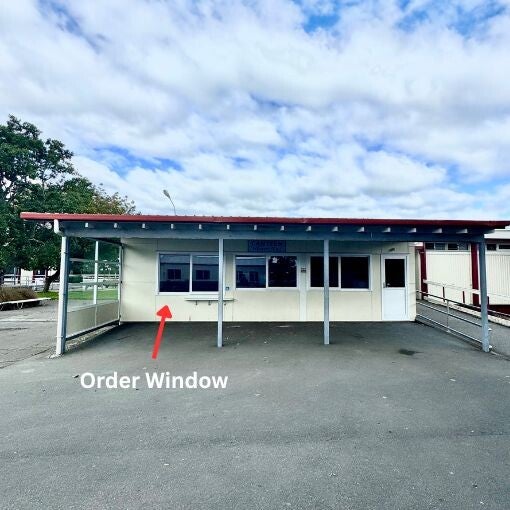
Picking up your order from Ellesmere Kitchen
For those picking up orders directly from Ellesmere Kitchen, please let us know your name and what you ordered. Your order will be ready and waiting for you at lunchtime. Please note that lunch order pick-ups are during lunchtime hours only. If you require your lunch to be made earlier or later, please specify the time you need it made for when ordering.